Using the payment process of X Pay
01.Select X Pay for payment on the checkout page
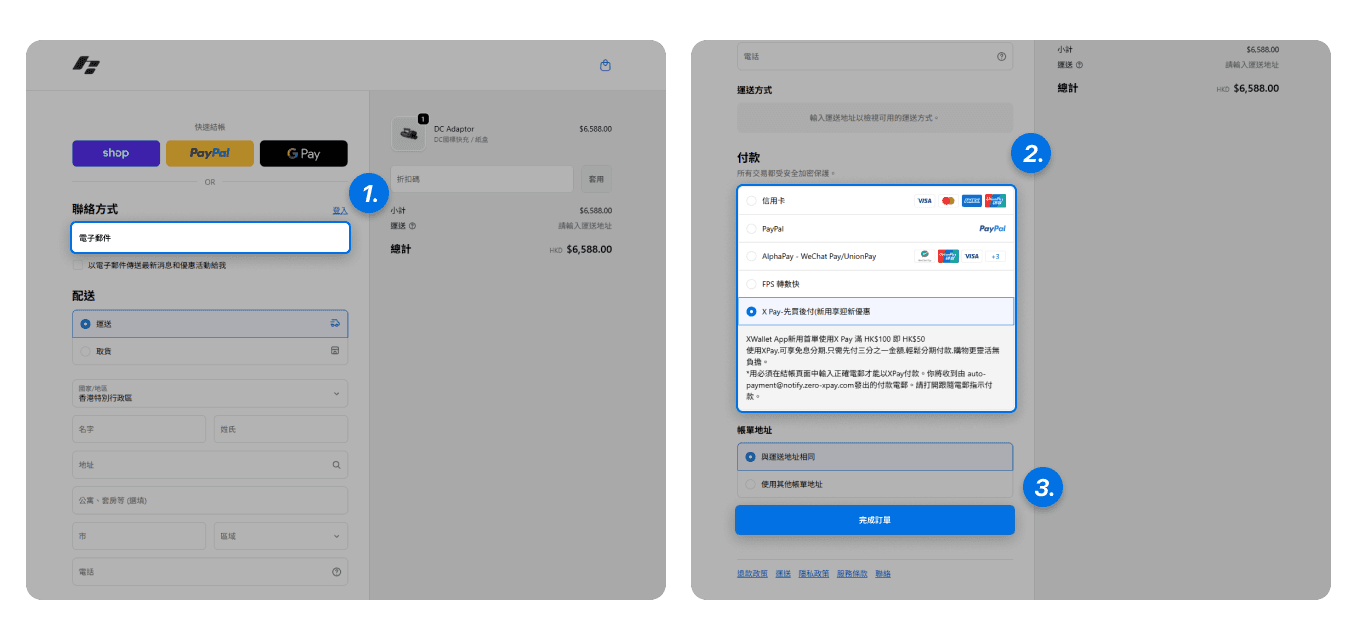
Enter your email address on the Shopify store checkout page
Select XPay in the payment methods
Click the “Complete Order” button
02.Open your email and click the X Pay email you received
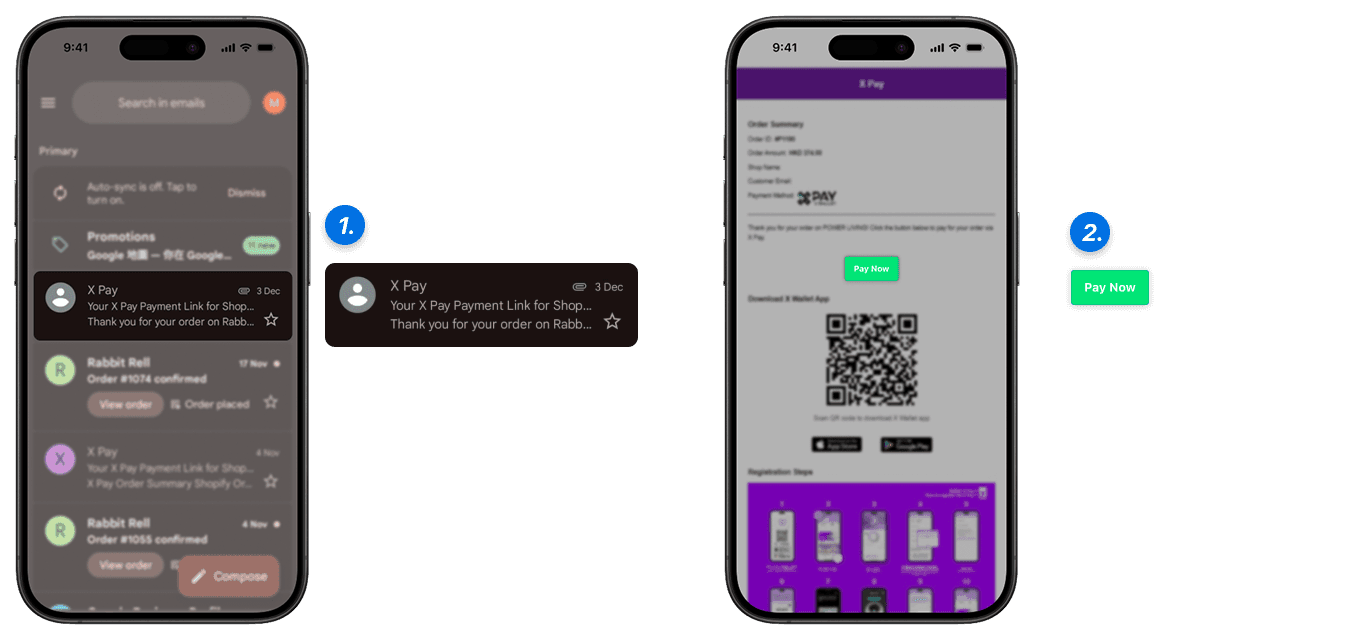
You will receive two emails, one is the Shopify order confirmation email, and the other is the X Pay payment email (auto-payment@notify.zero-xpay.com), open the X Pay payment email
Click the “Pay Now” button to proceed
Note: If you do not receive the email, please check your spam folder
03.Open X Wallet App for
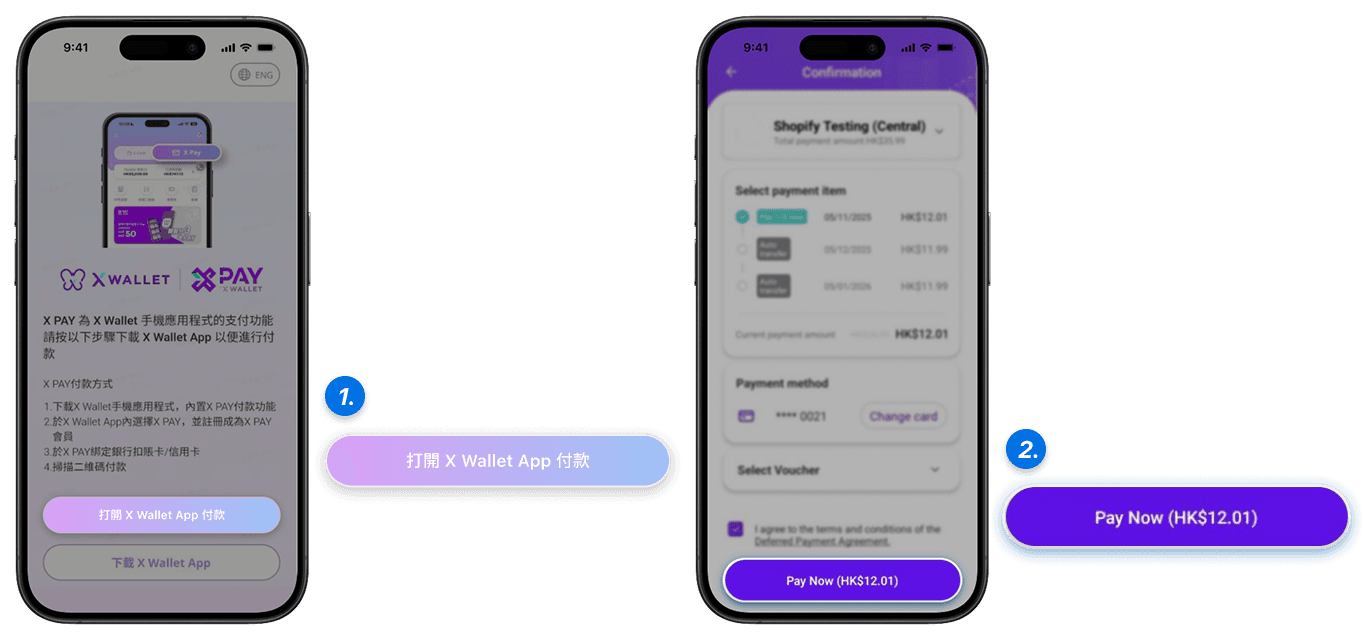
After pressing “Open X Wallet App for payment,” it will jump to the XPay payment page
Open X Wallet App - XPay to complete the payment.
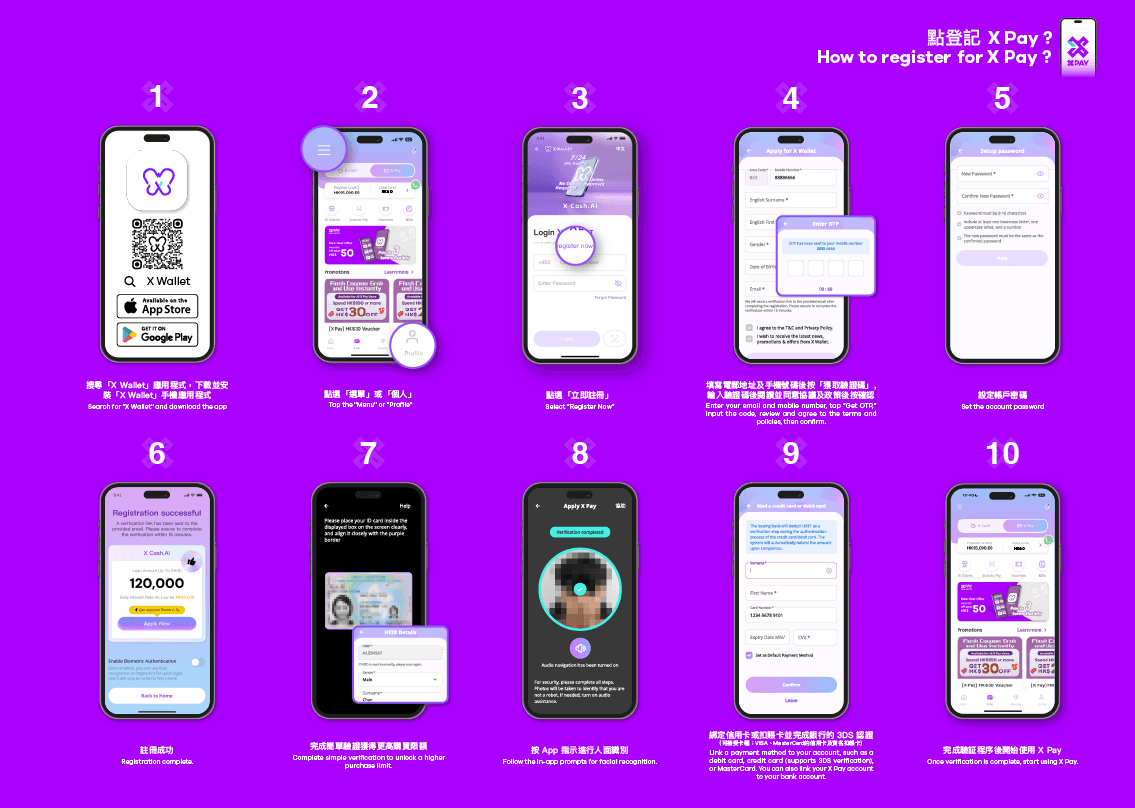
X Wallet App Registration X Pay Process